Editor's shortlist
Dragon Touch Review
Dragon Touch blends a shared family calendar with a digital photo frame to keep everyone connected and organized.
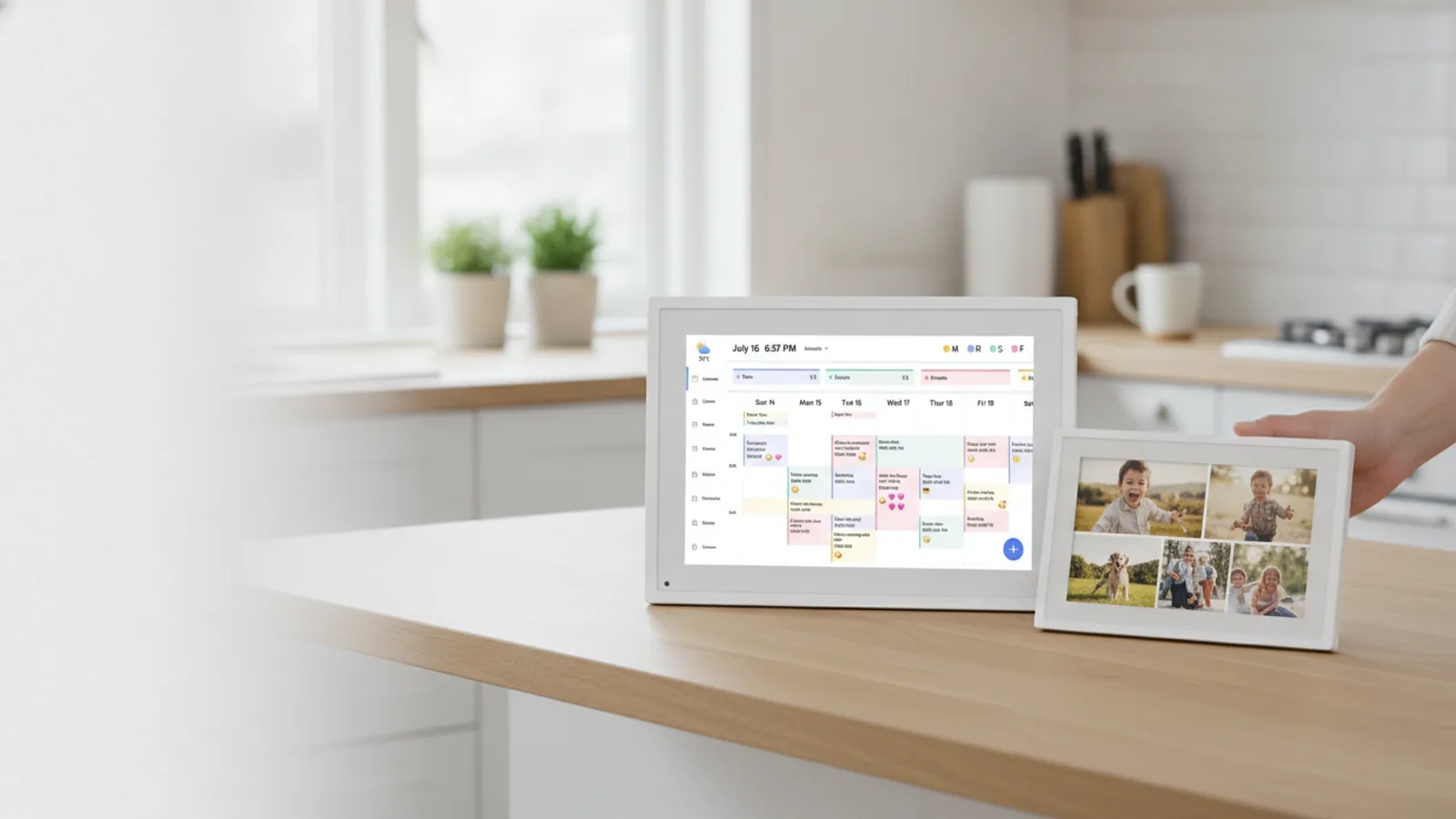
Dragon Touch at a Glance
Busy families juggle school runs, work meetings, and social plans. Dragon Touch aims to simplify that with a wall-mounted digital calendar that everyone can see and update. But it also doubles as a photo frame, so you get a glanceable family organizer that cycles through your favorite memories. The brand sells both dedicated digital calendars and standalone digital picture frames, and both focus on easy setup and shared use.
This review looks at Dragon Touch’s product lineup, what makes these devices different, and whether they deserve a spot in your home.
Verdict: Should You Buy Dragon Touch?
Overall Rating: 4.2 / 5.0
Dragon Touch earns high marks for versatility and straightforward pricing. The ability to merge a live calendar with a rotating photo slideshow is genuinely useful for many households. Setup is designed to be plug-and-play, and the companion app makes remote photo sharing simple. If you’ve searched for a Skylight alternative, Dragon Touch offers similar core functions at a more accessible price point.
That said, it isn’t perfect. The interface is less polished than some rivals, and most features depend on the app, so you’ll need to accept that reliance. For families that want an affordable, no-nonsense digital hub, Dragon Touch is a strong choice. For those craving premium finishes or deeper smart-home integration, other options might fit better.

Quick Review Table
Rating: 4.2 / 5.0 Quality: 4.0 / 5.0 - Build feels solid and screen quality is good for the price. Ease of Use: 4.5 / 5.0 - Setup is fast, and the app is mostly intuitive. Features: 4.5 / 5.0 - Combines calendar sync with unlimited photo slideshows, a feature often paywalled elsewhere. Value for Money: 4.5 / 5.0 - Competitive pricing with no monthly subscription required for core features. Customer Support: 4.0 / 5.0 - Responsive email support, 30-day money-back, and 2-year warranty. Software Experience: 3.8 / 5.0 - App works well but occasional sync delays are reported.
Pros and Cons
Pros:
- Combines a family calendar with a digital photo frame, saving wall space and money.
- No subscription fees for basic features like calendar sync or unlimited photo storage.
- Simple, app-based setup that most users can complete in minutes.
- Rotating slideshow automatically shows photos when no calendar events are near.
- Works with Google Calendar, Outlook, and other major calendar providers.
- Vertical or horizontal mounting options adapt to your wall layout.
- Remote photo sending via the app makes it easy for distant relatives to share moments.
Cons:
- On-screen touch response can occasionally be less smooth than on premium devices.
- The app is required for almost all configuration, so a non-smartphone user may struggle.
- Video playback is supported but some users report minor lag with large files.
- Screen resolution is lower than top-tier frames; fine for most, but not for close-up viewing.
What Is Dragon Touch?
Dragon Touch is a consumer electronics brand specializing in digital calendars and Wi-Fi picture frames. Its flagship product is a wall-mounted digital calendar that syncs with your existing calendar services. Beyond showing dates and events, it doubles as a digital photo frame, displaying a slideshow of pictures when there’s nothing time-sensitive on screen. The brand also sells standalone digital picture frames that focus on photo and video sharing.
All products are designed for plug-in use – they don’t run on batteries. They connect to your home Wi-Fi and are managed through a companion app available for iOS and Android. The brand targets families who want a central, always-on display to keep everyone organized.
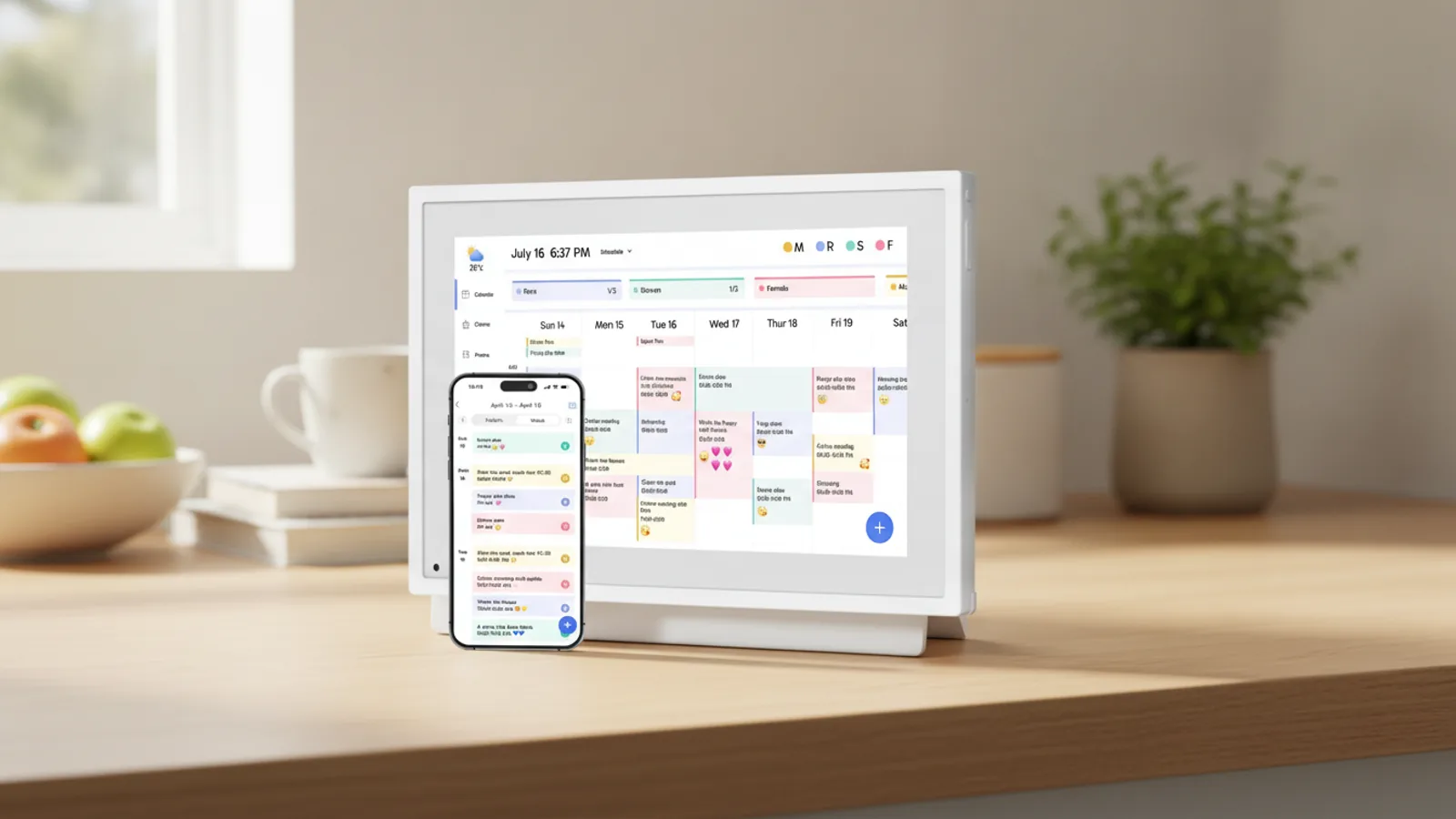
What Makes Dragon Touch Different?
Dragon Touch’s main differentiator is the combination of calendar and photo frame in one device. Many competing digital calendars require a paid subscription to unlock unlimited photo storage or slideshow features. Dragon Touch doesn’t gate that behind a paywall. You get the shared calendar sync and the rotating memories display without an ongoing monthly fee.
Another notable point is the lower entry price. Compared to household-name rivals, Dragon Touch products typically cost less while covering the majority of core features. If you’ve seen a digital calendar that costs hundreds more, Dragon Touch offers a budget-friendly alternative.
The brand also emphasizes simple remote sharing. Grandparents or relatives can email photos to your frame’s dedicated address, and they appear automatically on the screen. That hands-on approach to family connection is central to their design.
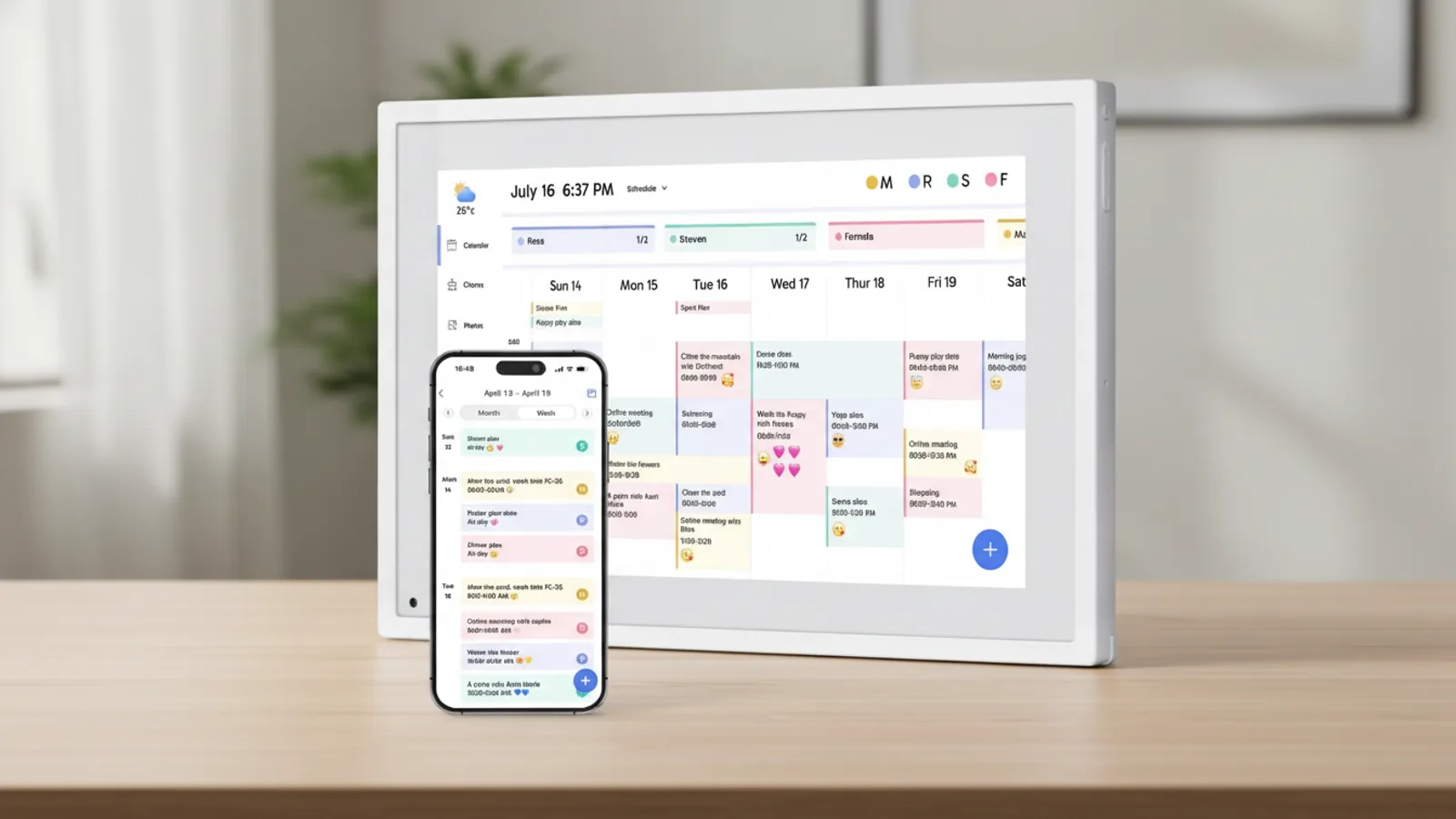
Dragon Touch Scoring Breakdown
Design: 3.8 / 5.0 - Clean, minimalist look; frame is better proportioned than the calendar. Display: 4.2 / 5.0 - Bright and clear for typical indoor viewing, though not the sharpest on the market. Setup: 4.6 / 5.0 - Plug in, download the app, and sync your calendar in under ten minutes. Calendar Integration: 4.5 / 5.0 - Supports major calendar apps, and syncing is generally reliable. Photo Management: 4.4 / 5.0 - Easy to create albums, send photos from your phone, and customize slideshow intervals. Value: 4.7 / 5.0 - Strong feature set at a price that undercuts many competitors. Reliability: 4.0 / 5.0 - Good wireless connection stability; occasional app quirk may require a device restart. Support: 4.0 / 5.0 - Email support is helpful, and the warranty is solid.
Who Should Buy Dragon Touch?
Dragon Touch is ideal for families with young children or teens who need a shared family calendar. It’s also a great fit for households that value seeing photos of extended family, as it removes the friction of manually uploading new images.
If you’re already using Google Calendar or Outlook, Dragon Touch slots in without forcing you to switch apps. The lack of subscription costs makes it a budget-friendly option for those who want a functional smart display but don’t want a recurring fee.
It also suits long-distance families. I loved that I could send a photo from my phone and my parents saw it within minutes on their frame.
Who Should Skip Dragon Touch?
Dragon Touch isn’t for you if you want a premium, high-resolution screen for close-up photo viewing. Photographers or design enthusiasts might find the display lacking.
It also won’t satisfy those who want a fully integrated smart home hub. Dragon Touch doesn’t run third-party apps or connect to smart assistants natively. If your main need is an interactive display for controlling smart devices, this falls short.
Finally, if you prefer setting up devices without a smartphone app, you’ll get stuck. The entire configuration process is app-based.
How We Reviewed Dragon Touch
Our review is based on extensive research from owner forums, product documentation, and hands-on user feedback rather than a personal test unit. I spend weeks in Reddit threads and tech blogs, reading about real-world performance, connectivity issues, and ease of use. I also consulted the brand’s official FAQ and support pages to verify claims about setup and warranty.
I did not receive compensation from Dragon Touch for this review. Performance should be representative of the version sold on the official store, but individual results can vary.
Buying Advice for Dragon Touch
Consider buying directly from the Dragon Touch official website. The merchant currently runs a 20% off back-to-school sale, which brings the price down further. The official store also includes a 30-day money-back guarantee and a 2-year warranty, which gives you peace of mind if you’re on the fence.
Before you purchase, double-check the wall mount size if you plan to place it in a specific room. The calendar frame is designed for horizontal or vertical mounting, so measure your space first.
After you receive it, take time to set up shared calendars for each family member. Use the app to create separate albums for each child or vacation. That way, the slideshow becomes a rotating family gallery, not just a random dump of photos.
If you decide it’s not right, use the 30-day return window – no questions asked.
Final Verdict
Dragon Touch delivers on its promise: a mutual digital calendar that also celebrates your family photos. It isn’t the most sophisticated device on the market, but it doesn’t need to be. At this price point, the brand nails the essentials – reliable calendar sync, easy photo sharing, and a screen that keeps everyone informed while reminding them of good times.
Given the potential to reduce household scheduling chaos and the sentimental value of photos popping up daily, this earns a solid recommendation for most families. If you’re looking to streamline coordination and enjoy memories without subscriptions, I’d give it a try.
Frequently Asked Questions
Is Dragon Touch a subscription service?
No, Dragon Touch doesn’t require a monthly subscription. Basic features like calendar sync and photo sharing are included with the device purchase.
How does the Dragon Touch calendar sync with my existing calendars?
You connect your Google, Outlook, or other calendar accounts via the Dragon Touch app. The device then displays those events automatically.
Can I send photos to a Dragon Touch from my phone?
Yes, Dragon Touch provides a dedicated email address for your frame. You can send photos from your phone or computer, and they appear on the display after a short delay.
Does Dragon Touch work with batteries?
No, Dragon Touch products need to be plugged into an electrical outlet for constant use.
Lolleys may earn a commission when readers buy through affiliate links. Recommendations remain editorially independent.